

Accurately measuring the size of a Human-Machine Interface (HMI) is crucial for both manufacturers and end-users. As a reliable HMI size supplier, I understand the significance of this process. In this blog, I will share some essential methods and considerations for accurately measuring HMI sizes.
Why Accurate Measurement Matters
Before delving into the measurement methods, it's important to understand why accurate HMI size measurement is so important. For end - users, an accurately sized HMI ensures a proper fit within their equipment or control panel. It affects the overall usability, ergonomics, and visual experience. A mis - sized HMI can lead to installation difficulties, poor visibility, and reduced functionality. For manufacturers and suppliers like us, accurate measurement is the foundation of providing high - quality products. It helps us meet the specific requirements of our customers and maintain a good reputation in the market.
Measuring the Diagonal Size
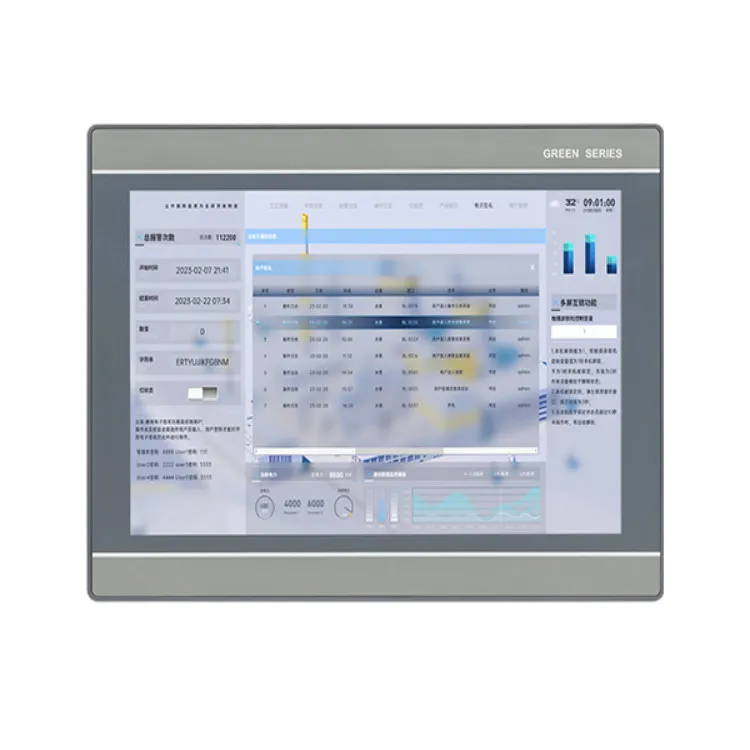
The most common way to specify the size of an HMI is by its diagonal measurement. This is the distance from one corner of the display screen to the opposite corner, measured in inches. To measure the diagonal size accurately, you will need a flexible measuring tape or a ruler.
- Prepare the HMI: Make sure the HMI is powered off and placed on a flat surface. This ensures that the display is in a stable position and not distorted.
- Locate the Corners: Identify the two opposite corners of the visible display area. Do not include the bezel or the frame around the screen in the measurement.
- Measure the Diagonal: Place the zero end of the measuring tape or ruler at one corner and stretch it diagonally across the screen to the opposite corner. Read the measurement at the point where the tape or ruler meets the second corner. Make sure the tape is straight and not bent or curved.
For example, if you are measuring a 4.3 Inch HMI, the diagonal measurement should be approximately 4.3 inches. However, due to manufacturing tolerances, there may be a slight variation in the actual measurement.
Measuring the Width and Height
In addition to the diagonal size, measuring the width and height of the HMI can also be useful, especially when you need to fit the HMI into a specific space.
- Measure the Width: Place the measuring tape or ruler horizontally across the visible display area. Start from one side of the screen and measure to the other side. Again, do not include the bezel in the measurement.
- Measure the Height: Place the measuring tape or ruler vertically along the visible display area. Measure from the top of the screen to the bottom.
For a 15.6 Inch HMI, knowing the exact width and height can help you determine if it will fit into a particular control panel or mounting bracket.
Considerations for Non - Rectangular HMIs
Not all HMIs have a traditional rectangular shape. Some may have rounded corners, irregular shapes, or cut - outs. In these cases, measuring the size becomes a bit more challenging.
- For Rounded Corners: If the HMI has rounded corners, you can still measure the diagonal, width, and height as described above, but keep in mind that the actual available display area may be slightly less than the measured values. You can estimate the area lost due to the rounded corners and make adjustments if necessary.
- Irregular Shapes: For HMIs with irregular shapes, you may need to break the shape into smaller, more manageable rectangles or triangles. Measure each part separately and then calculate the total area or dimensions.
Measuring the Bezel Size
The bezel is the frame around the display screen. Measuring the bezel size can be important when you need to know the overall dimensions of the HMI unit, including the non - display area.
- Measure the Top, Bottom, Left, and Right Bezels: Use a ruler or a caliper to measure the width of the bezel on each side. Make sure to measure at multiple points along each side to account for any variations.
- Calculate the Overall Dimensions: Add the width and height of the display area to the corresponding bezel widths to get the overall width and height of the HMI unit.
Importance of Standardization
In the HMI industry, standardization of size measurement is crucial. Different manufacturers may have slightly different ways of measuring and specifying HMI sizes. As a supplier, we adhere to international standards to ensure consistency and accuracy in our product specifications. This makes it easier for our customers to compare different HMIs and make informed decisions.
Impact of Resolution on Perceived Size
The resolution of an HMI can also affect the perceived size of the display. A higher resolution HMI may have smaller pixels, which can make the text and images appear sharper but may also give the impression of a smaller display. On the other hand, a lower resolution HMI may have larger pixels, making the text and images appear larger but potentially less sharp.
When measuring the size of an HMI, it's important to consider the resolution in relation to the intended use. For applications where detailed information needs to be displayed, a higher resolution may be preferred, even if it means a slightly smaller perceived size.
Common Measurement Errors and How to Avoid Them
- Including the Bezel: One of the most common errors is including the bezel in the measurement of the display area. Always make sure to measure only the visible display area.
- Using the Wrong Measuring Tool: Using a measuring tool that is not accurate or flexible enough can lead to measurement errors. Make sure to use a high - quality measuring tape or ruler.
- Not Measuring on a Flat Surface: If the HMI is not placed on a flat surface, the display may be distorted, leading to inaccurate measurements.
Conclusion
Accurately measuring the size of an HMI is a multi - step process that requires attention to detail. Whether you are an end - user looking for the perfect fit or a manufacturer ensuring product quality, understanding the correct measurement methods is essential.
As a trusted HMI size supplier, we are committed to providing accurate size specifications for all our products, including 4.3 Inch HMI, 15.6 Inch HMI, and 12.1 Inch HMI. If you have any questions about HMI sizes or need assistance with measurement, please feel free to contact us for procurement and further discussions. We are here to help you find the best HMI solution for your needs.
References
- Industry standards for HMI manufacturing and measurement.
- Technical manuals from leading HMI manufacturers.