
Hey there! As a supplier of Handheld HMIs, I know how crucial it is to keep the data on these devices secure. In today's digital age, where data is like gold, any breach can lead to significant losses, both financially and in terms of reputation. So, let's dive into how you can secure the data on a Handheld HMI.
1. Use Strong Authentication
First things first, authentication is the gateway to your Handheld HMI's data. You need to make sure only authorized personnel can access it. One of the simplest yet most effective ways is to use strong passwords. A strong password should be a mix of uppercase and lowercase letters, numbers, and special characters. And please, don't use the same password for multiple devices or accounts.
Another great option is two - factor authentication (2FA). With 2FA, in addition to entering a password, users have to provide a second form of verification, like a code sent to their mobile phone. This adds an extra layer of security, making it much harder for unauthorized users to gain access.
2. Keep the Software Up - to - Date
Software updates are not just about adding new features; they're often about fixing security vulnerabilities. When the manufacturer of your Handheld HMI releases an update, it usually includes patches for any security holes that have been discovered. So, make sure you regularly check for and install these updates.
You can set up automatic updates if your Handheld HMI supports it. This way, you don't have to worry about forgetting to update, and your device will always have the latest security features.
3. Encrypt the Data
Encryption is like putting your data in a locked box. It transforms your data into a code that can only be deciphered with the right key. Most modern Handheld HMIs support data encryption. You can encrypt the data both when it's stored on the device (at rest) and when it's being transmitted (in transit).
For data at rest, you can use full - disk encryption. This encrypts the entire storage of the Handheld HMI, so even if someone manages to get physical access to the device, they won't be able to read the data without the encryption key.
When it comes to data in transit, use secure communication protocols like SSL/TLS. These protocols encrypt the data as it travels between the Handheld HMI and other devices or servers, protecting it from eavesdropping and interception.
4. Limit Network Access
The network is one of the most common entry points for hackers. So, you need to be careful about which networks your Handheld HMI connects to. Avoid connecting to public Wi - Fi networks unless you have a virtual private network (VPN) enabled. A VPN creates a secure, encrypted tunnel between your device and the internet, protecting your data from being intercepted on public networks.
You can also set up access controls on your Handheld HMI to limit which networks it can connect to. For example, you can create a whitelist of approved networks, and the device will only connect to those networks.

5. Implement Intrusion Detection and Prevention Systems
Intrusion detection and prevention systems (IDPS) can help you monitor your Handheld HMI for any suspicious activity. An IDPS can detect when someone is trying to access the device unauthorizedly or when there's an abnormal pattern of data transfer.
There are different types of IDPS, such as network - based and host - based. A network - based IDPS monitors the network traffic around the Handheld HMI, while a host - based IDPS monitors the activity on the device itself. You can use both types for better protection.
6. Train Your Users
Your users are often the weakest link in the security chain. They may unknowingly click on phishing links or use weak passwords. So, it's essential to train them on security best practices.
Provide training on how to create strong passwords, how to recognize phishing emails, and how to handle data securely. You can also conduct regular security awareness campaigns to keep security at the top of their minds.
Our Handheld HMI Offerings
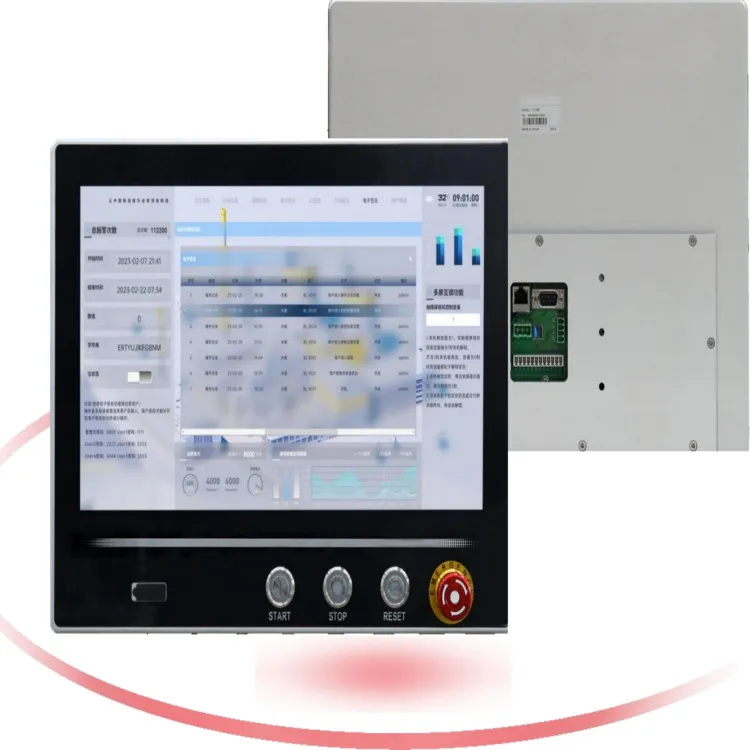
We offer a wide range of Handheld HMIs that are designed with security in mind. Our Button - integrated HMI combines the functionality of buttons with a touch - screen interface, providing a user - friendly yet secure way to interact with your industrial systems.
If you're looking for something more advanced, our Internet Of Things Touch Screen is a great choice. It's equipped with the latest technology to ensure seamless connectivity and high - level data security.
And for those who need to use the HMI outdoors, our Outdoor Touch Screen is built to withstand harsh environmental conditions while still protecting your data.
Let's Talk
Securing the data on your Handheld HMI is not something to take lightly. If you're interested in our products and want to learn more about how we can help you secure your data, don't hesitate to reach out. We're here to assist you in finding the best solutions for your needs. Whether you're a small business or a large industrial enterprise, we have the expertise and the products to keep your data safe.
References
- "Handbook of Human - Machine Interaction" by Salvendy, Gavriel.
- "Security in Industrial Control Systems" by M. S. Hossain, M. R. Islam, and R. K. Roy.
- Manufacturer's documentation for Handheld HMIs.