
Hey there! As a Siemens PLC supplier, I often get asked about the methods for remote maintenance of Siemens PLCs. It's a hot topic, especially in today's digital age where efficiency and quick problem - solving are key. So, let's dive right in and explore the different ways to remotely maintain these awesome pieces of equipment.
1. Using Siemens Industrial Ethernet
One of the most common and reliable methods for remote maintenance of Siemens PLCs is through Siemens Industrial Ethernet. This technology allows for high - speed data transfer between the PLC and the maintenance station.
Siemens has designed its PLCs, like the Siemens PLC S7 1200 and Siemens PLC S7 1500, to be fully compatible with Industrial Ethernet. You can set up a virtual private network (VPN) connection to securely access the PLC over the internet. This way, you can monitor the status of the PLC, upload or download programs, and troubleshoot issues without being physically present at the site.
The advantage of using Industrial Ethernet is its high bandwidth and low latency. It ensures that the communication between the maintenance computer and the PLC is fast and stable. However, you need to have a proper network infrastructure in place. That means having a reliable internet connection at both the PLC site and the maintenance location, as well as proper security measures to protect against unauthorized access.
2. Profinet - based Remote Maintenance
Profinet is another great option for remote maintenance. It's an open industrial Ethernet standard developed by Siemens and other companies. Profinet allows for real - time communication between different devices in an industrial network, including Siemens PLCs.
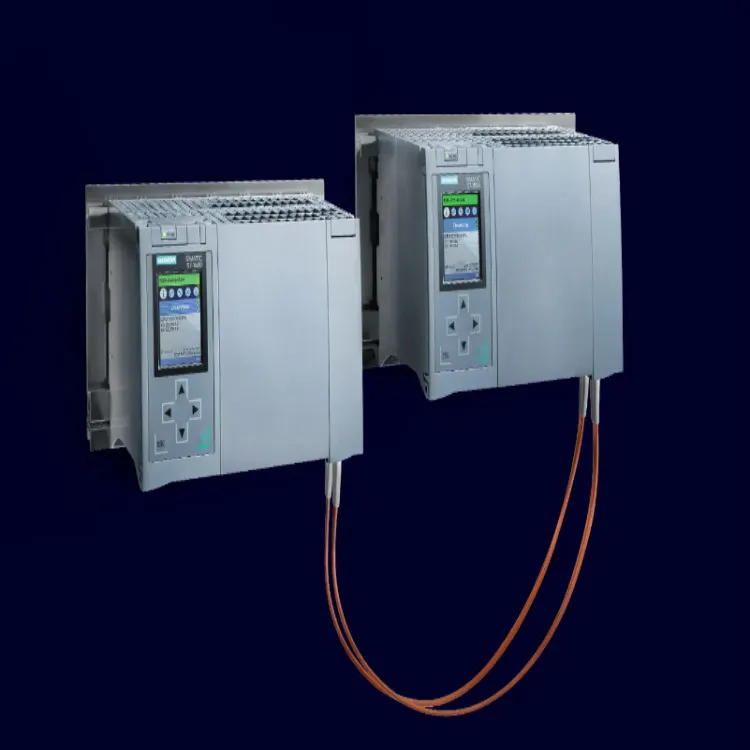
With Profinet, you can use remote access tools provided by Siemens to connect to the PLC. For example, you can use the SIMATIC WinCC OA software to monitor and control the PLC remotely. This software provides a user - friendly interface that allows you to view the status of the PLC, change parameters, and even simulate different scenarios.
The beauty of Profinet is its flexibility. It can be used in a wide range of industrial applications, from small - scale manufacturing to large - scale automation systems. And since it's an open standard, there are many third - party devices and software that are compatible with it, giving you more options for remote maintenance.
3. Mobile - based Remote Maintenance
In today's mobile - centric world, it's no surprise that mobile - based remote maintenance is becoming increasingly popular. Siemens has developed mobile apps that allow you to access and maintain your PLCs using your smartphone or tablet.
For instance, the SIMATIC WinCC Unified Comfort Panel Mobile app enables you to monitor and control Siemens PLCs on the go. You can view process data, receive alarms, and even perform basic configuration tasks right from your mobile device. This is extremely convenient, especially for maintenance technicians who are always on the move.
The main advantage of mobile - based remote maintenance is its portability. You can access the PLC from anywhere, as long as you have a mobile data connection or are connected to a Wi - Fi network. However, you need to make sure that your mobile device is secure and that you follow the proper security protocols to protect the PLC from potential threats.
4. Cloud - based Remote Maintenance
Cloud technology has revolutionized the way we do things, and remote maintenance of Siemens PLCs is no exception. Cloud - based remote maintenance involves storing the PLC data and programs in the cloud and accessing them over the internet.
Siemens offers cloud - based solutions like MindSphere, which is an open IoT operating system. You can connect your Siemens PLCs to MindSphere and use its powerful analytics tools to monitor the performance of the PLC, predict potential failures, and optimize the operation of your industrial processes.
The benefits of cloud - based remote maintenance are numerous. It allows for easy data storage and retrieval, as well as collaboration between different teams. You can have multiple users accessing the PLC data simultaneously from different locations, which is great for large - scale projects. However, you need to be aware of the data privacy and security issues associated with cloud computing. Make sure you choose a reliable cloud service provider and implement proper security measures to protect your data.
5. Modbus TCP for Remote Maintenance
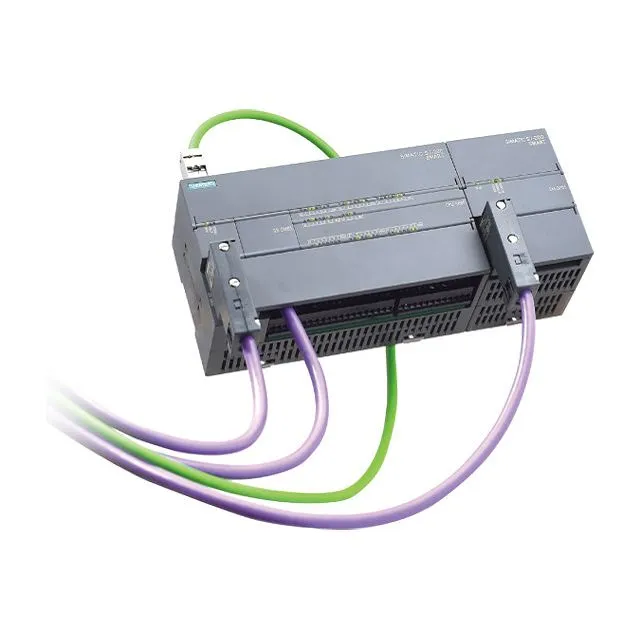
Modbus TCP is a widely used communication protocol for industrial automation. Siemens PLCs, including the Siemens PLC S7 200, can be configured to support Modbus TCP.
Using Modbus TCP, you can establish a connection between the PLC and a remote monitoring device or software. You can read and write data to the PLC registers, which allows you to monitor the status of the PLC and control its operations. There are many third - party Modbus TCP master devices and software available in the market that you can use for remote maintenance.
The advantage of Modbus TCP is its simplicity and wide - spread use. It's easy to implement and there are many resources available for troubleshooting. However, it may not be as suitable for real - time applications as some of the other methods mentioned above.
6. Challenges and Considerations
While remote maintenance of Siemens PLCs offers many benefits, there are also some challenges and considerations that you need to keep in mind.
Security is one of the biggest concerns. Since you are accessing the PLC over the internet, there is a risk of unauthorized access and cyber - attacks. You need to implement proper security measures such as firewalls, encryption, and user authentication to protect the PLC and your industrial network.
Another challenge is the reliability of the communication link. A poor internet connection can lead to communication errors and delays, which can affect the performance of the PLC and the effectiveness of the remote maintenance. You need to have a backup communication plan in place in case of network failures.
Finally, you need to ensure that your maintenance technicians are properly trained to use the remote maintenance tools and methods. They should have a good understanding of the Siemens PLCs, the communication protocols, and the security measures.
Conclusion
In conclusion, there are several methods for remote maintenance of Siemens PLCs, each with its own advantages and disadvantages. Whether you choose Industrial Ethernet, Profinet, mobile - based, cloud - based, or Modbus TCP, the key is to find the method that best suits your specific needs and requirements.
As a Siemens PLC supplier, I'm here to help you choose the right remote maintenance solution for your business. If you're interested in learning more about our products or need assistance with remote maintenance, don't hesitate to get in touch. We can discuss your requirements in detail and come up with a customized solution that meets your needs.
References
- Siemens official documentation on PLC remote maintenance
- Industrial Ethernet and Profinet technical guides
- Mobile app user manuals for Siemens PLCs
- Cloud - based IoT operating system guides (e.g., MindSphere)
- Modbus TCP protocol specifications