
Hey there! As an HMI size supplier, I often get asked, "What HMI size is suitable for a mobile device - based HMI?" Well, let's dive right into it and explore the different options to help you make the best choice.
The Importance of HMI Size in Mobile Devices
First off, the HMI (Human - Machine Interface) size in a mobile device is crucial. It directly impacts the user experience. A too - small HMI can make it difficult for users to interact with the device, leading to frustration and potential errors. On the other hand, an overly large HMI might make the mobile device bulky and less portable.
Popular HMI Sizes for Mobile Devices
7 Inch HMI
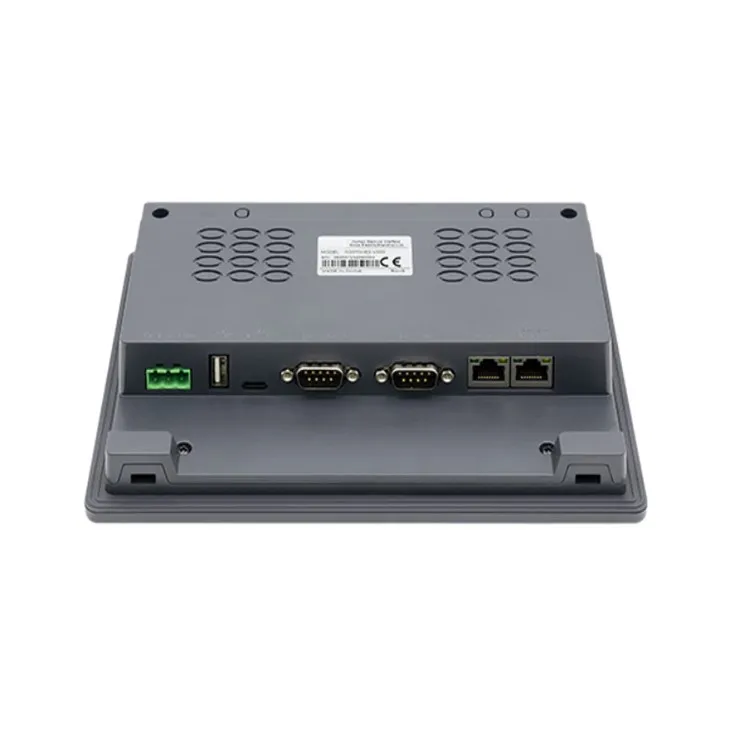
The 7 Inch HMI is a popular choice for many mobile device applications. It strikes a good balance between portability and usability.
One of the main advantages of a 7 - inch HMI is its portability. It's small enough to be carried around easily, whether you're using it in a field service setting, on a factory floor, or in a healthcare environment. You can slip it into a bag or even hold it in one hand while performing other tasks.
In terms of usability, a 7 - inch screen provides enough space to display essential information and controls. For example, in a mobile industrial monitoring system, you can view real - time data such as temperature, pressure, and flow rates clearly. The touchscreen functionality on a 7 - inch HMI allows for intuitive interaction, making it easy for users to navigate through different menus and perform operations.
However, there are also some limitations. If you need to display a large amount of detailed information or high - resolution graphics, a 7 - inch screen might feel a bit cramped. For instance, in a design or engineering application where you need to view complex 3D models, the smaller screen size could make it challenging to see all the details.
10.1 Inch HMI
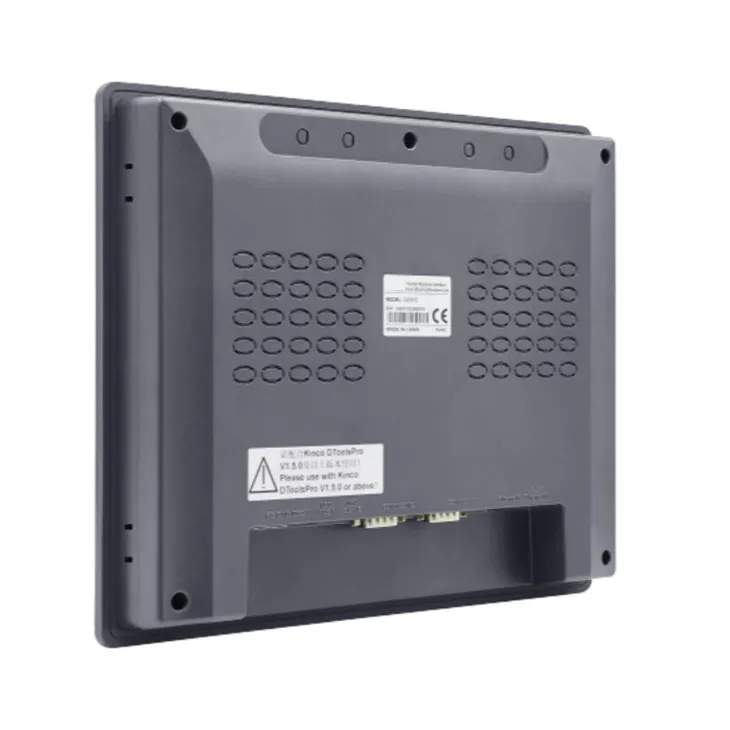
The 10.1 Inch HMI offers a step up in terms of screen real estate.
This size is great for applications where you need to display more information or larger graphics. In a mobile point - of - sale (POS) system, a 10.1 - inch HMI can show product images, detailed descriptions, and customer information all at once. It also provides a more immersive experience for multimedia applications, such as video playback or interactive training modules.
The larger screen size also makes it easier to use for users with larger fingers or those who have difficulty interacting with smaller touchscreens. The increased space allows for larger buttons and icons, reducing the chances of accidental touches.
But, the trade - off is that a 10.1 - inch HMI is less portable than a 7 - inch one. It's bulkier and heavier, which might be a drawback if you need to move around a lot with the device. Also, it may consume more power, which could be an issue if you're relying on battery power for extended periods.
12.1 Inch HMI
The 12.1 Inch HMI is the largest of the three sizes we're discussing here.
This size is ideal for applications that require a high - level of detail and a large amount of information to be displayed simultaneously. In a mobile CAD (Computer - Aided Design) application, a 12.1 - inch HMI allows designers to view their designs in full - screen mode with excellent clarity. They can zoom in and out, pan across the design, and make precise edits without feeling restricted by the screen size.
In a mobile control room scenario, a 12.1 - inch HMI can display multiple data feeds, maps, and control panels side by side. This enables operators to have a comprehensive view of the system they're managing.
However, the 12.1 - inch HMI is the least portable of the three. It's quite large and heavy, and it may not be practical to carry it around in some situations. Additionally, it typically has a higher cost compared to the smaller sizes, both in terms of the initial purchase price and the long - term power consumption.
Factors to Consider When Choosing an HMI Size
When deciding on the right HMI size for your mobile device - based HMI, there are several factors you need to take into account:
Application Requirements
What kind of tasks will the HMI be used for? If it's for simple data monitoring and basic control, a 7 - inch HMI might be sufficient. But if you're dealing with complex graphics, large - scale data analysis, or high - precision operations, a larger size like 10.1 inches or 12.1 inches could be more appropriate.
Portability Needs
How often will you need to move the device around? If you're constantly on the go, portability is a key factor. A smaller HMI size will be more convenient. But if the device will mainly be used in a fixed or semi - fixed location, such as a kiosk or a workstation within a facility, you can afford to choose a larger size.
User Experience
Think about the end - users. Their physical abilities, such as dexterity and eyesight, can influence the choice of HMI size. Older users or those with disabilities may find it easier to use a larger screen with bigger buttons and icons. Also, consider the ease of navigation and interaction. A well - designed HMI should be intuitive to use, regardless of the screen size.
Budget
Cost is always a consideration. Generally, larger HMI sizes come with a higher price tag. You need to balance your requirements with your budget. Sometimes, a smaller HMI that meets most of your needs might be a more cost - effective solution in the long run.
Conclusion
So, there you have it! There's no one - size - fits - all answer to the question of what HMI size is suitable for a mobile device - based HMI. It depends on a variety of factors, including your application requirements, portability needs, user experience, and budget.
If you're still unsure which HMI size is right for your specific situation, don't hesitate to reach out to us. We're here to help you make an informed decision. Whether you're interested in a 7 - inch, 10.1 - inch, or 12.1 - inch HMI, we can provide you with detailed information and guidance. Contact us to start a conversation about your HMI needs and let's work together to find the perfect solution for you.
References
- "Human - Machine Interface Design for Mobile Devices" - A research paper on the best practices for HMI design in mobile applications.
- Industry reports on the usage of different HMI sizes in various sectors such as industrial automation, healthcare, and retail.