
Managing multiple CAN Bus nodes in a PLC network can be a bit of a head - scratcher, but it's totally doable. As a CAN Bus PLC supplier, I've dealt with all sorts of scenarios when it comes to getting these nodes to play nice in a PLC network. So, let's dive right in and talk about how you can manage multiple CAN Bus nodes effectively.
First off, what's a CAN Bus? Well, the Controller Area Network (CAN) Bus is a serial communication protocol that's widely used in industrial automation, automotive, and other fields. It allows multiple nodes to communicate with each other on a shared bus. In a PLC network, CAN Bus nodes can be sensors, actuators, or other devices that need to exchange data.
One of the first things you need to do when managing multiple CAN Bus nodes is to understand the network topology. There are different topologies you can use, like the linear bus topology, where all nodes are connected in a line. This is a simple and cost - effective option, but it has its limitations. For example, if there's a break in the bus, the whole network can go down. Another option is the star topology, where all nodes are connected to a central hub. This provides better fault tolerance, but it can be more expensive to set up.
Once you've decided on the topology, you need to configure the CAN Bus nodes properly. Each node has its own unique identifier (ID). This ID is used to determine the priority of the messages on the bus. Nodes with lower IDs have higher priority. So, when you're setting up your nodes, make sure you assign the IDs carefully. You don't want a low - priority node hogging the bus and preventing high - priority messages from getting through.
Now, let's talk about the hardware side of things. You need to make sure that the CAN Bus transceivers in your nodes are compatible with each other. Different transceivers have different electrical characteristics, and if they're not compatible, you can run into issues like signal degradation or even complete communication failure. Also, pay attention to the cable quality. Using high - quality CAN Bus cables can significantly reduce the chances of interference and signal loss.
Software is also a crucial part of managing multiple CAN Bus nodes. You need to have a good PLC programming environment that supports CAN Bus communication. Most modern PLCs come with built - in CAN Bus drivers, but you still need to configure them correctly. You'll need to set parameters like the bit rate, which determines how fast data can be transmitted on the bus. A higher bit rate means faster data transfer, but it also increases the chances of interference.
Another important aspect of software management is message filtering. Since multiple nodes are sending messages on the bus, you don't want your PLC to waste resources processing every single message. You can use message filtering to tell the PLC which messages to accept and which ones to ignore. This can be based on the message ID or other criteria.
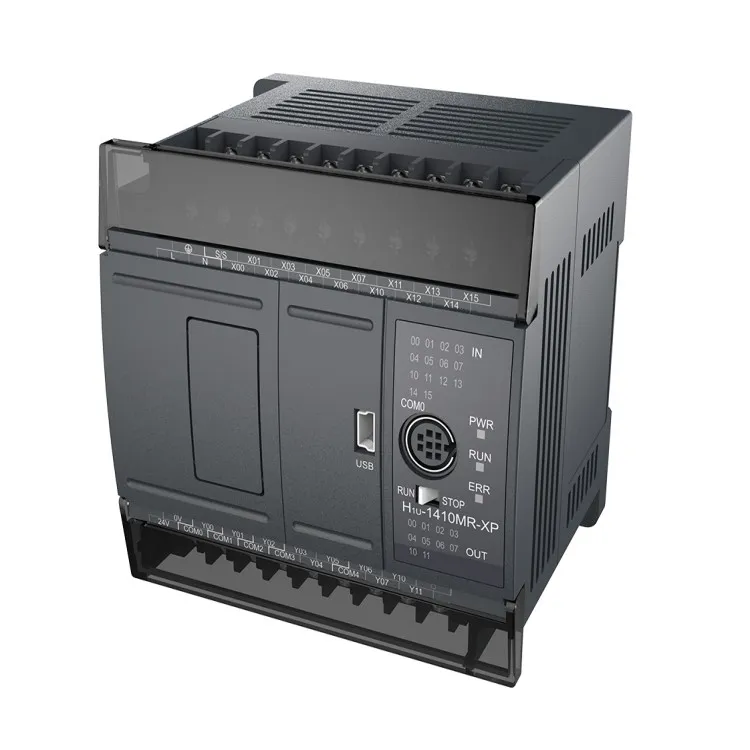
Let's take a look at some of the products we offer as a CAN Bus PLC supplier. We have the Compact Mini PLC, which is a great option for small - scale applications. It's compact in size but still packs a punch when it comes to CAN Bus communication. It's easy to program and can handle multiple CAN Bus nodes without breaking a sweat.
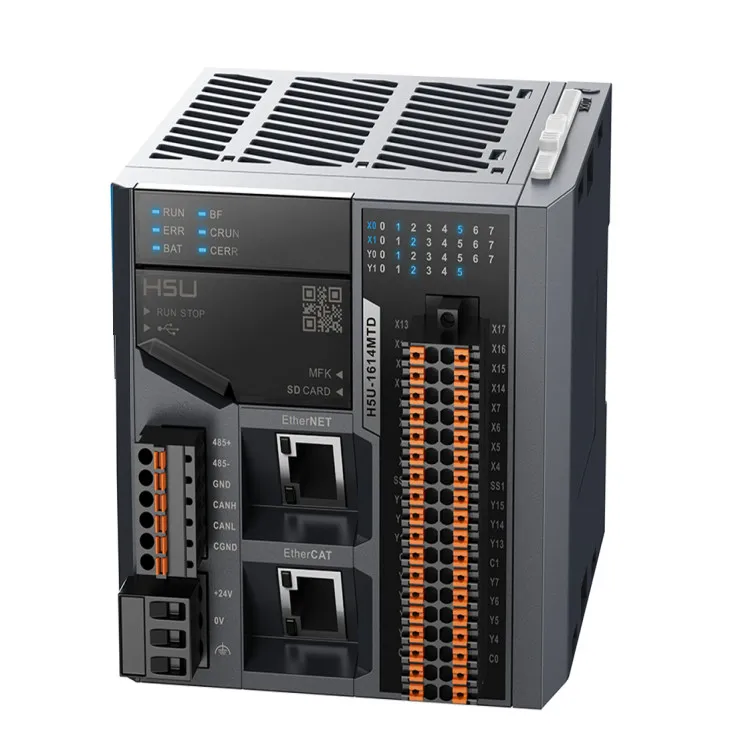
If you're looking for something more advanced, our EtherCAT Bus PLC is a great choice. It combines the benefits of EtherCAT and CAN Bus technologies. EtherCAT provides high - speed communication, while CAN Bus offers reliability and flexibility. This PLC can manage a large number of CAN Bus nodes and is suitable for complex industrial applications.
For applications that require pulse control, our 485 Pulse PLC is a top - notch option. It has built - in 485 communication ports as well as CAN Bus support. It can handle both pulse - based and CAN Bus - based devices, making it a versatile choice for many different types of projects.
When it comes to troubleshooting, it's important to have a systematic approach. If you're experiencing communication issues, start by checking the hardware. Make sure all the connections are secure and that the cables are not damaged. You can also use a CAN Bus analyzer to monitor the traffic on the bus. This can help you identify any faulty nodes or messages.
On the software side, check the configuration settings of your PLC and the CAN Bus nodes. Make sure all the parameters are set correctly. You can also add some diagnostic code to your PLC program to help you identify the source of the problem.
In addition to the technical aspects, you also need to think about the long - term management of your CAN Bus nodes. This includes firmware updates, which can improve the performance and security of your nodes. You should have a plan in place to regularly check for firmware updates and install them when necessary.
Another important consideration is documentation. Keep detailed records of your CAN Bus network configuration, including the node IDs, bit rates, and any other relevant settings. This will make it easier to troubleshoot problems in the future and also help with any upgrades or expansions to the network.
In conclusion, managing multiple CAN Bus nodes in a PLC network requires a combination of hardware knowledge, software skills, and good planning. By choosing the right topology, configuring the nodes correctly, using high - quality hardware and software, and having a good troubleshooting and maintenance plan, you can ensure that your CAN Bus network runs smoothly.
If you're interested in our CAN Bus PLC products or need more information on managing CAN Bus nodes in a PLC network, don't hesitate to reach out to us. We're here to help you with all your automation needs and can provide you with the best solutions for your projects.
References
- "CAN Bus Basics" by an industry expert in industrial communication
- "PLC Programming for CAN Bus Networks" from a well - known publication on industrial automation