
Preventive maintenance is a crucial aspect of ensuring the long - term reliability and optimal performance of IO - Link devices. As an IO - Link supplier, I understand the significance of keeping these devices in top - notch condition. In this blog, I'll share some effective strategies for performing preventive maintenance on IO - Link devices.
Understanding IO - Link Devices
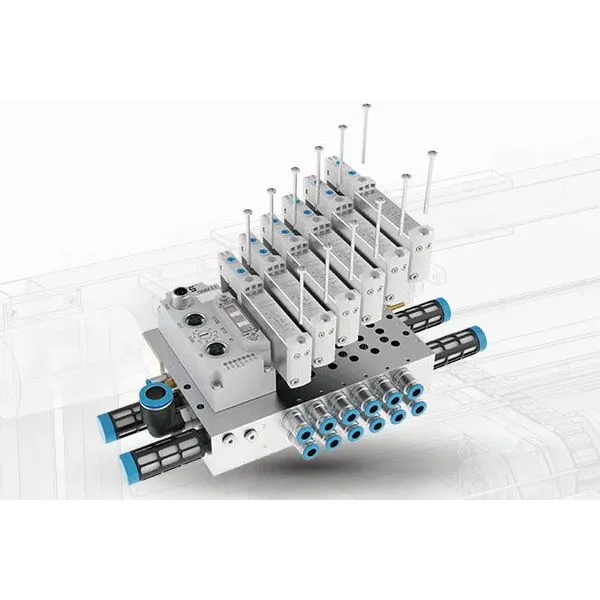
Before delving into preventive maintenance, it's essential to have a clear understanding of what IO - Link devices are. IO - Link is a standardized communication protocol (IEC 61131 - 9) that enables seamless communication between sensors, actuators, and the control system. These devices can range from simple sensors like proximity sensors and photoelectric sensors to more complex Valve Islands and Multi - protocol Network Module.
Regular Inspection
One of the most fundamental steps in preventive maintenance is regular inspection. This involves visually examining the IO - Link devices for any signs of physical damage, such as cracks, loose connections, or corrosion. For sensors, check the lens for dirt or debris that could affect their performance. Actuators should be inspected for proper movement and any signs of wear and tear.
Inspect the cables and connectors as well. Loose or damaged cables can lead to communication errors and device malfunctions. Make sure that all cables are securely plugged in and that there are no signs of fraying or cuts. Additionally, check the power supply to ensure that it is stable and within the specified voltage range for the IO - Link devices.
Cleaning
Cleaning is another important preventive maintenance task. Dust, dirt, and other contaminants can accumulate on IO - Link devices over time, which can interfere with their operation. For sensors, a clean lens is essential for accurate detection. Use a soft, lint - free cloth to gently wipe the lens of optical sensors. Avoid using abrasive materials that could scratch the lens.
For Valve Islands and other pneumatic devices, clean the air filters regularly. Clogged air filters can restrict the airflow, leading to reduced performance and potential damage to the valves. Follow the manufacturer's instructions for cleaning and replacing the air filters.
Firmware Updates
Just like any other electronic device, IO - Link devices may require firmware updates to improve their performance, add new features, or fix bugs. Stay in touch with the device manufacturer to stay informed about the latest firmware releases. Before performing a firmware update, make sure to back up any important configuration data.
Firmware updates should be carried out carefully following the manufacturer's guidelines. Incorrect firmware updates can cause the device to malfunction or even become inoperable. It's also a good idea to test the device thoroughly after the firmware update to ensure that it is functioning correctly.
Performance Monitoring
Implementing a performance monitoring system is an effective way to detect potential issues before they lead to device failures. Use the diagnostic capabilities of IO - Link devices to monitor parameters such as signal strength, temperature, and operating hours. Many IO - Link devices can provide real - time data about their status, which can be used to identify trends and anomalies.
For example, if the temperature of a sensor is consistently higher than normal, it could indicate a problem with the device or its environment. By monitoring these parameters over time, you can take proactive measures to address the issue before it causes a complete failure.
Calibration
Regular calibration is necessary to ensure the accuracy of IO - Link sensors. Over time, sensors may drift from their original calibration settings, leading to inaccurate measurements. Follow the manufacturer's recommended calibration schedule for each sensor.
Calibration typically involves comparing the sensor's output to a known reference value and adjusting the sensor accordingly. Some sensors may have built - in calibration procedures, while others may require external calibration equipment. Make sure to use calibrated reference standards and follow the proper calibration procedures to ensure accurate results.
Documentation
Maintaining detailed documentation is an often - overlooked but crucial aspect of preventive maintenance. Keep records of all maintenance activities, including inspections, cleaning, firmware updates, calibration, and any repairs. This documentation can be used to track the history of each device, identify recurring issues, and plan future maintenance tasks.
Include information such as the date of the maintenance activity, the technician who performed it, the results of the inspection or test, and any parts that were replaced. This documentation can also be valuable for warranty claims and compliance purposes.
Training
Proper training is essential for anyone involved in the maintenance of IO - Link devices. Make sure that your maintenance staff is well - trained in the operation, maintenance, and troubleshooting of IO - Link devices. Provide training on topics such as device installation, configuration, firmware updates, and calibration.
Training can be provided by the device manufacturer, through online courses, or in - house training programs. Well - trained maintenance staff are more likely to perform preventive maintenance tasks correctly and to identify and resolve issues quickly.
Redundancy and Backup
In critical applications, consider implementing redundancy and backup strategies for IO - Link devices. Redundant devices can be used to take over the function of a failed device, ensuring continuous operation. For example, you can have a backup sensor that can be automatically switched on if the primary sensor fails.
In addition to hardware redundancy, make sure to have backup copies of all important configuration data. In the event of a device failure or a system reset, you can quickly restore the device to its previous configuration using the backup data.
Environmental Considerations
The environment in which IO - Link devices operate can have a significant impact on their performance and lifespan. Protect the devices from extreme temperatures, humidity, dust, and vibration. If the devices are installed in a harsh environment, consider using protective enclosures or shields.
For example, in a manufacturing plant with high levels of dust, using dust - proof enclosures for IO - Link sensors can prevent dust from accumulating on the devices and causing malfunctions. Similarly, in an environment with high levels of vibration, using vibration - damping mounts can reduce the stress on the devices and prevent damage.
Conclusion
Performing preventive maintenance on IO - Link devices is essential for ensuring their long - term reliability and optimal performance. By following the strategies outlined in this blog, including regular inspection, cleaning, firmware updates, performance monitoring, calibration, documentation, training, redundancy, and considering environmental factors, you can minimize the risk of device failures and downtime.
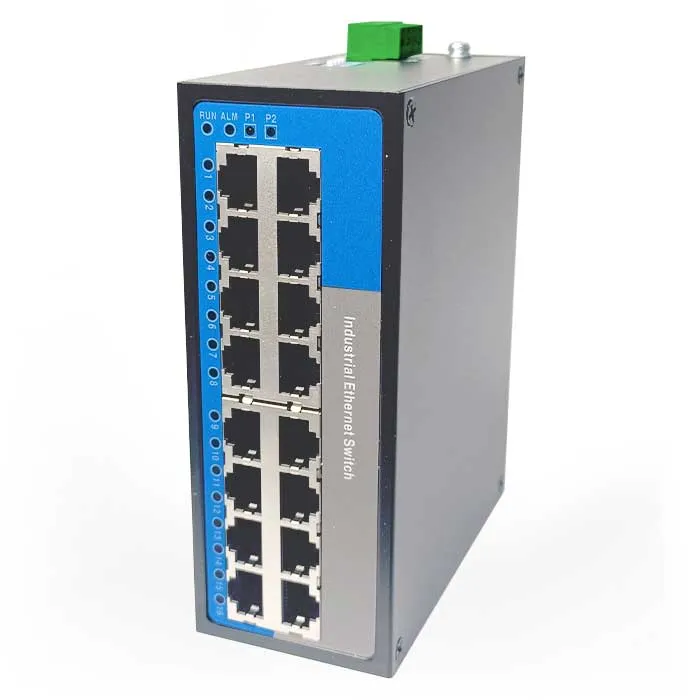
As an IO - Link supplier, I am committed to providing high - quality products and support to help you maintain your IO - Link devices effectively. If you have any questions about preventive maintenance or if you are interested in purchasing IO - Link devices, such as Unmanaged Switch, Valve Islands, or Multi - protocol Network Module, please feel free to reach out to us for further discussion and procurement details.
References
- Manufacturer's documentation for IO - Link devices
- IEC 61131 - 9 standard for IO - Link communication protocol
- Industry best practices for preventive maintenance of industrial automation devices